01
Wind
- Inspection of blades, tower, flanges and bolted joints
- Work at height, lifeline and rescue plan
- Service lift, winch and lifting equipment
- Preventive maintenance of the nacelle and braking system


In energy, every asset demands attention: from the technician climbing to the nacelle to pressure equipment, the dam that must be monitored and the electrical installation that is only touched once isolated. Whether at the wind farm, the oil and gas field or the hydropower plant, each operation has its particularities, but the commitment is the same: care and rigour in every check.
In energy, every asset demands attention: from the technician climbing to the nacelle to pressure equipment, the dam that must be monitored and the electrical installation that is only touched once isolated. Whether at the wind farm, the oil and gas field or the hydropower plant, each operation has its particularities, but the commitment is the same: care and rigour in every check.
01
02
03
04
If the regulator asked right now for the latest dam or turbine inspection, how long would your team take to find it? With Smart apps, every inspection is recorded on site, with photos, time and owner, ready to look up or demonstrate what was checked.
Turbines spread across the ridge, wells out in the field, dams at the end of the road. Without signal, the inspection has to be recorded on the spot.
A fall from the nacelle, a gas leak, an anomaly nobody read on the piezometer. The skipped step shows up later, and the evidence is what proves whether it was done.
Operator, manufacturer, maintenance contractors and independent consultants all work on the same equipment. They all have to leave their record in the same place.
The energy regulator, the dam safety authority and the labour inspectorate each inspect on their own schedule. Each visit may ask for different evidence, and all of it has to come from the same record.
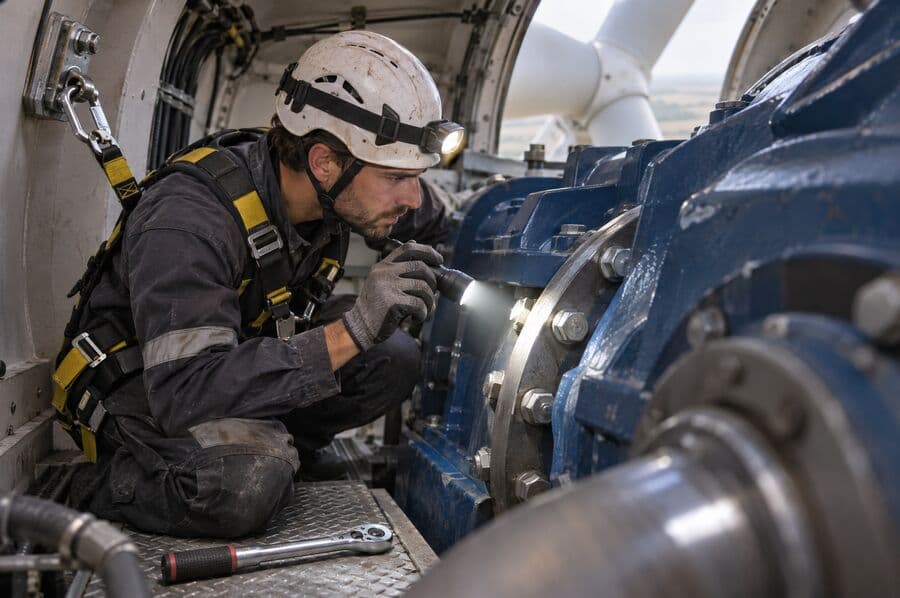

Recording the issue is the easy part and almost everyone already does it. What fails is what comes next: who handles it, by when, with what evidence, and how anyone knows it will not come back.
The inspection is jotted in a notebook at the top of the tower or in the gallery, and written up in the office days later. What was not photographed at the time is gone.
It sits in the contractor's report, in an e-mail to the manufacturer or in the shift handover. Without a named owner and a deadline, nobody answers for it.
Chasing depends on someone remembering to go and check. Usually they remember the day the client asks.
Saying it was resolved is easy. Showing the state before, the action taken and the state after is another matter.
Without a type and a cause, the same fault shows up on three turbines and at two farms and counts as five isolated cases.
How many open issues, for how many days and on which assets. The answer comes from phone calls to technicians, not from the system.
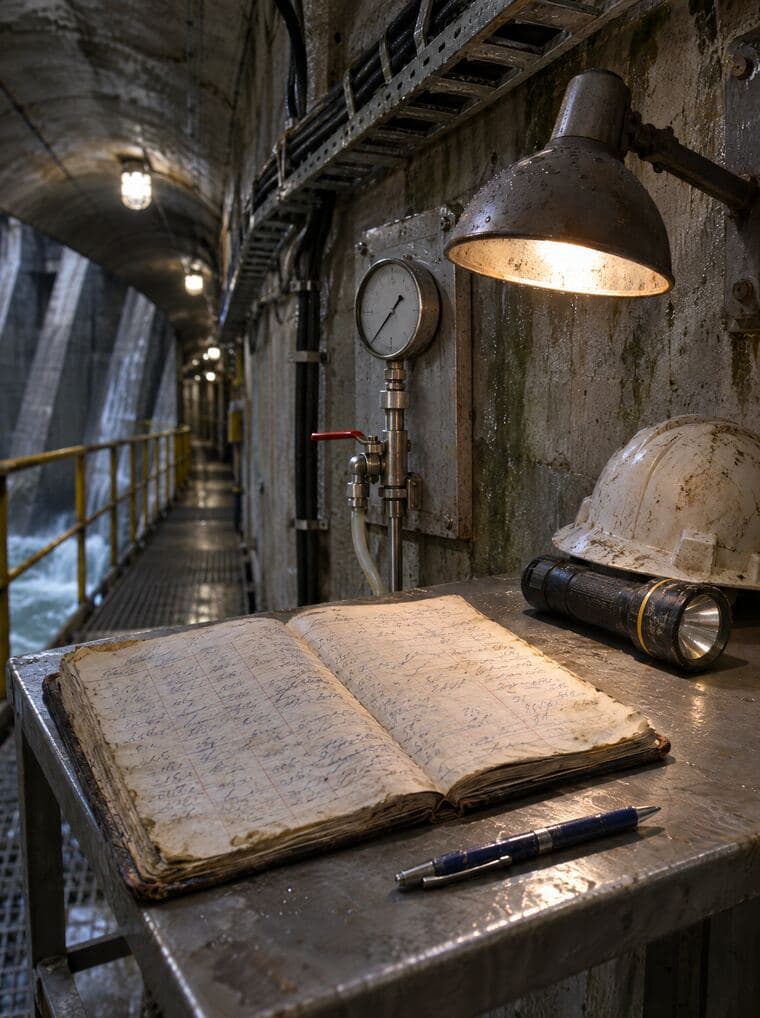
In Brazil, wind turbine fall protection is inspected at least once a year and recorded; a hydropower dam's inspection report is due within 90 days; NR-10 requires a file holding inspections. ANP's SGSO is under review.
It's the same sequence in all four domains, whether a safety inspection, a works audit or the periodic check of a harness.
In the field, on the phone, with or without a connection. What is not captured on the spot gets rebuilt from memory, hours later, back at the office.
Photo marked up and captioned, signature identified, time and coordinates, tied to the item they evidence instead of bundled in at the end.
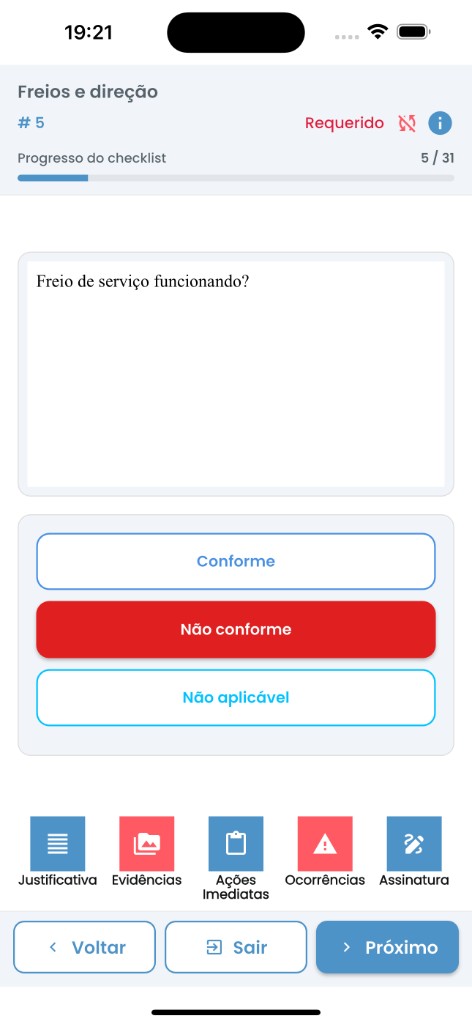
The nonconformity leaves the field already with type, priority, due date, owner and a 5W2H action plan.
Dashboard for management, report in your branding, and the process opened inside the management system , yours or your client's.
A work front, a network asset, equipment or PPE with its holder, a material batch. Each with its own record and accumulated history, instead of a loose document per check.
Conditionals, weights, severity, mandatory evidence, calculated items and exit rule. The same inspection gives the same result with any technician.
From finding to proven closure, with a trail of who did what and when. Where there is SoftExpert, the process opens inside it by native integration .
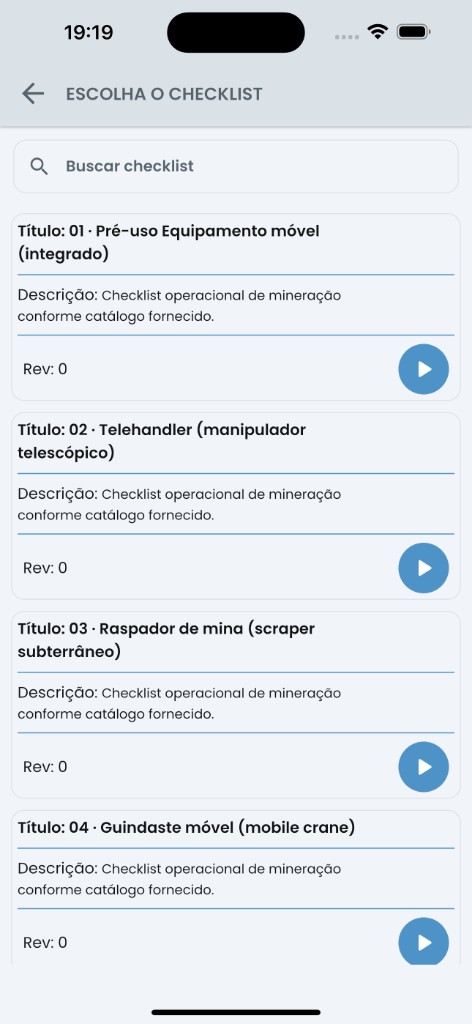
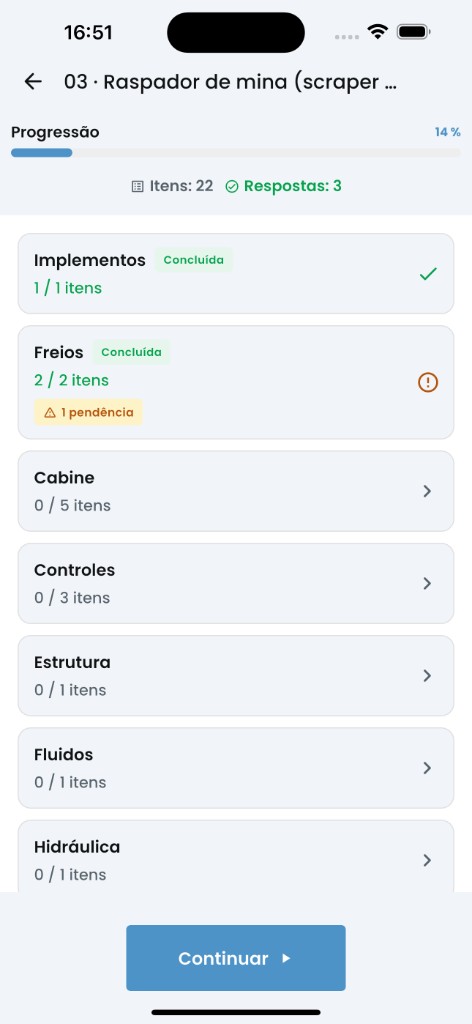
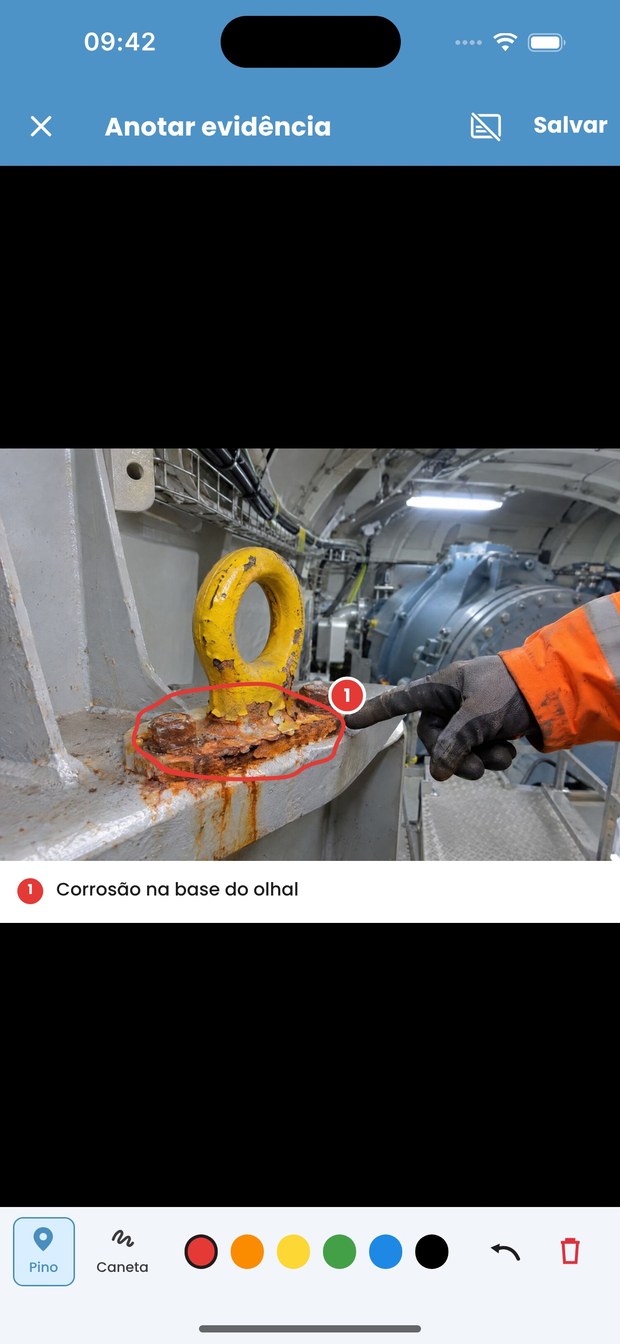
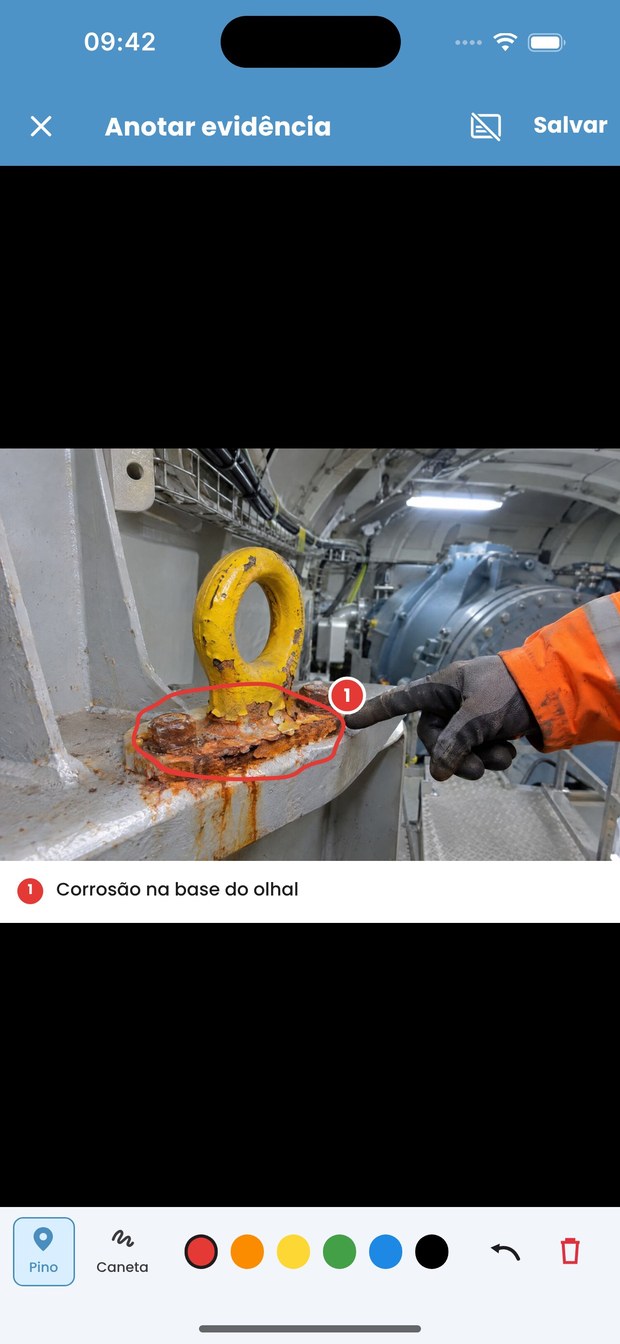
One work-site inspection produces dozens of photos. Whoever opens them a year from now has to see, unaided, what each one evidences.
Free pen in six colours over the image itself, captioned at the moment of the inspection.
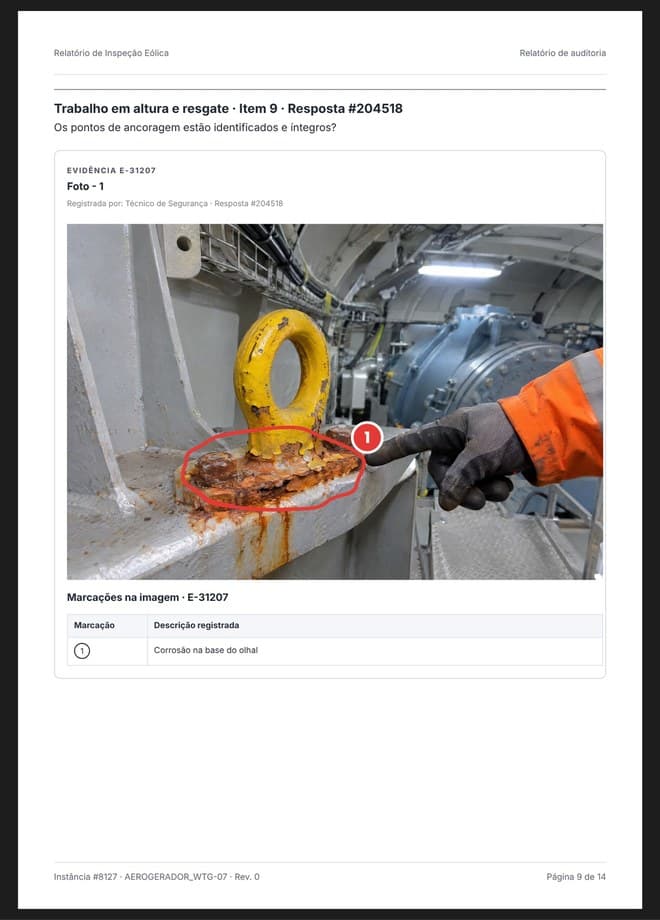
What was drawn on the phone enters the document as a numbered table, tied to the evidence number and to the answer that raised it.
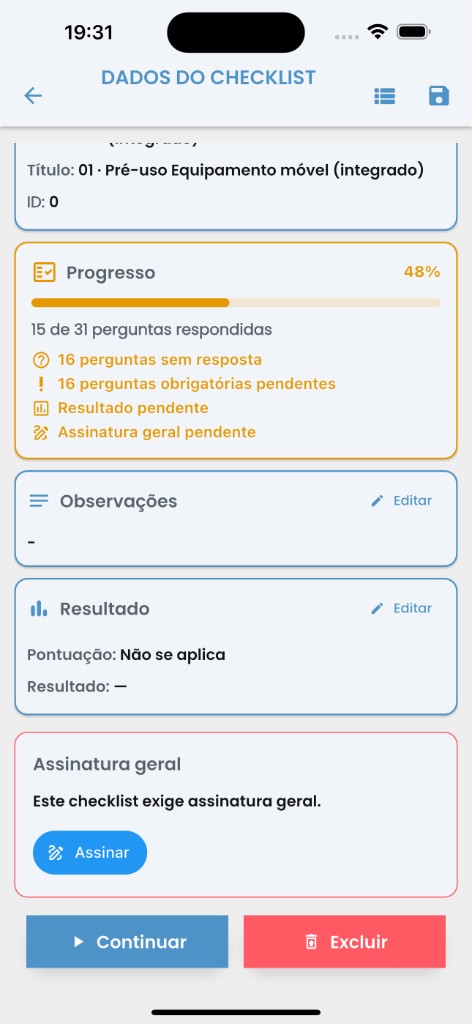
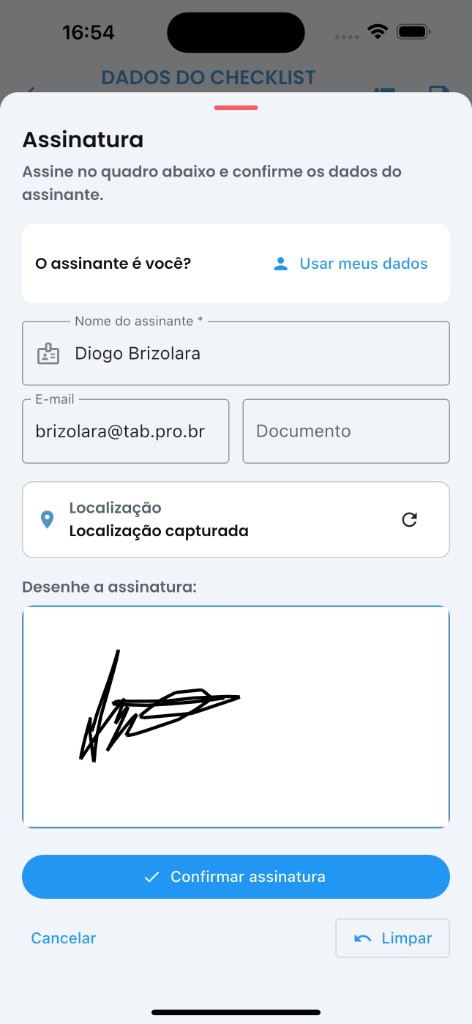
The system counts what is missing and says who has to sign. Usually two people: the inspector and whoever answered for the work front.
Unanswered questions, mandatory fields left blank, pending result and missing signature, counted by the system before it lets you close.
Name, e-mail, ID document and location captured at the moment of signing.
Score and rating applied by the model's rule, identical across every site and every crew.
No open items and no missing signatures. Until then the inspection stays in progress, visible to whoever ordered it.
The certificate and the technical sheet come from the same checklist the team filled in on site. What was answered, photographed and signed becomes the final document, in the company template.
Each item with its answer, numbered evidence and who answered.
The conclusion and the issues go into the document, with category and description.
The inspector's signature, with date, time and location.
Certificate or technical sheet in the company template, with instance number and revision.
Nobody copies answers into a separate document. What is in the certificate is what was recorded on site.
Report, certificate and technical sheet from the same answers, each in its own template.
Instance number and revision on every page: the client always knows which certificate they received.
What today depends on the inspector's experience becomes a rule in the system, the same on every front and with any technician.
The inspection first asks the working conditions: height, voltage, explosive atmosphere. Only then does it show what applies. That is what makes the "not applicable" answers disappear.
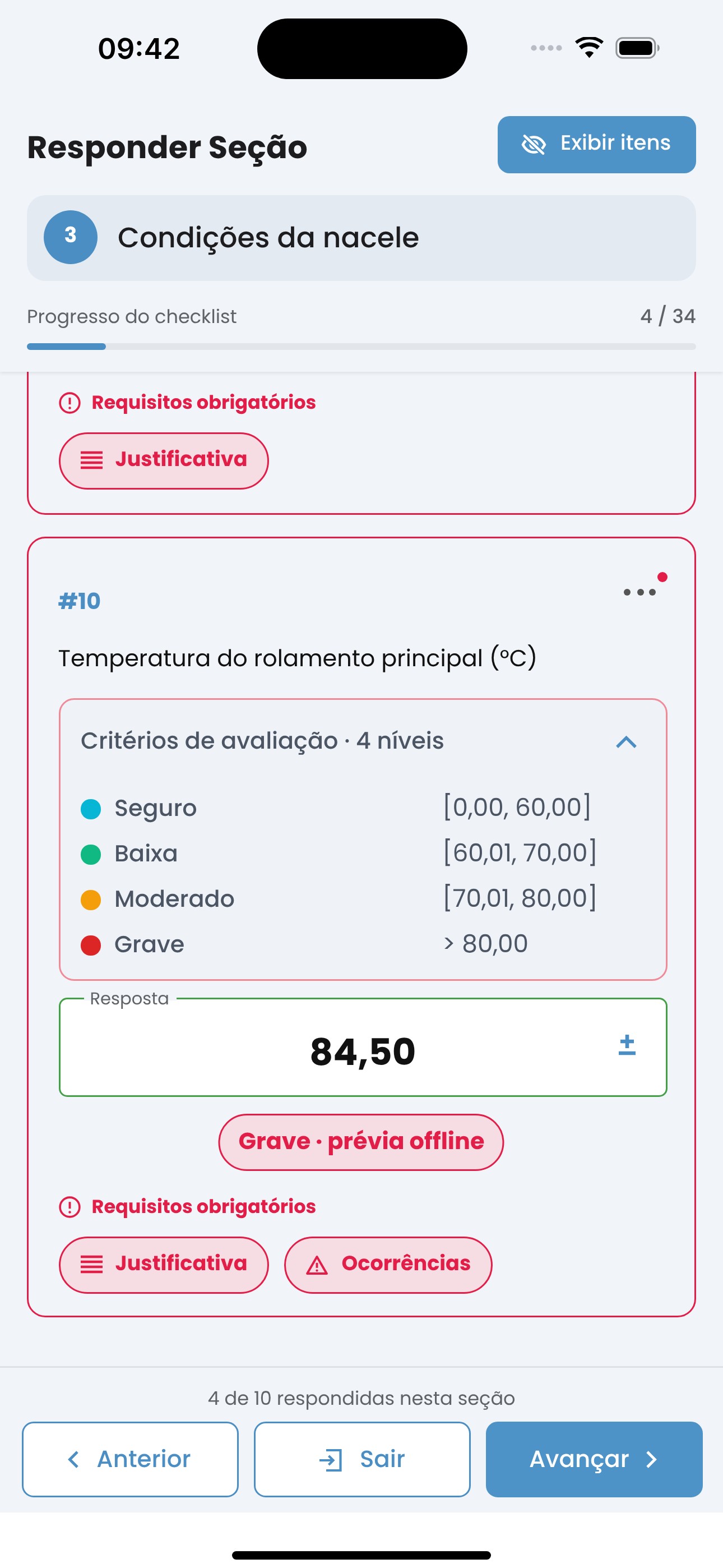
Each item is worth what it has to be worth, so the score reflects how critical the failure was rather than item count.
Formulas that combine answers and return the result on the spot, with no side maths.
Rating bands that you define, applied automatically when the inspection closes.
A single critical item, such as missing PPE, fails the whole inspection.
Minimum and maximum ranges, mandatory evidence and justification, checked on the device.
Finding the nonconformity is the start. What the operator charges for, and what you sell, is the record that someone closed it on time.
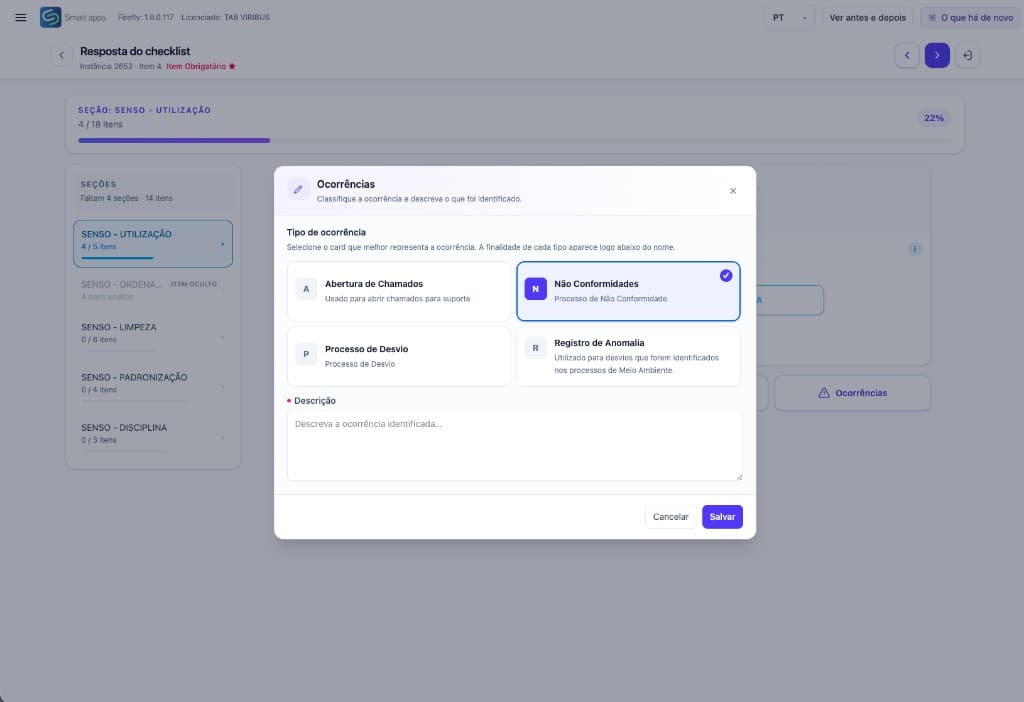
The noncompliant item opens the issue during the inspection, with the photo, the place and who found it.
Type, priority and due date set by the process rule, the same on any front.
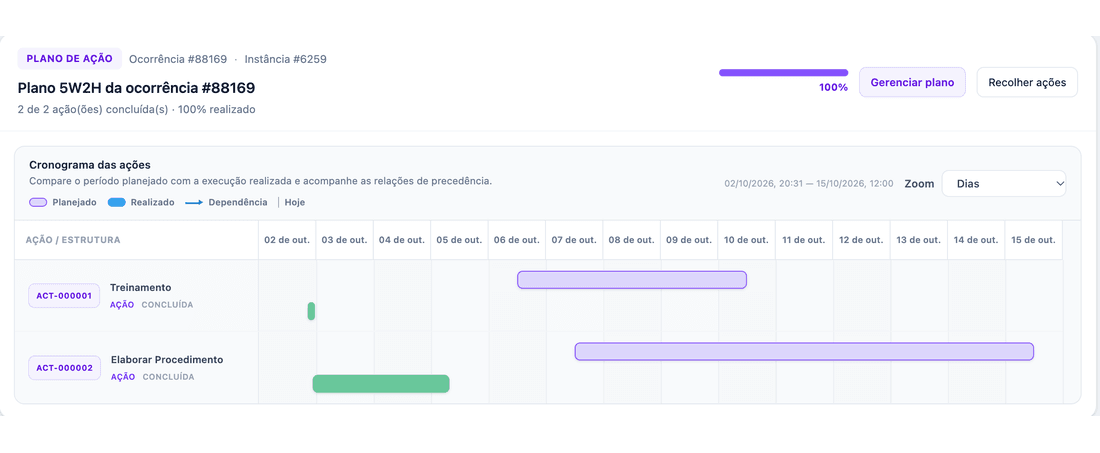
Named owner, 5W2H action plan, controlled deadline and automatic chasing.
Auditable timeline: who did what, when, and with what evidence attached.
Deadlines coming due, issues with no owner and overdue actions show on the dashboard and in the alert before the client asks.
Expand your ecosystem
Native SoftExpert integration
Smart apps and SoftExpert have partnered for over twenty years. The integration is native, built by people who work on both sides, not a connector bolted on from outside.
01
Inspection or audit completed on the phone, with evidence, answers and item context.
02
SmartApp receives the closure, validates the package and prepares the integration send.
03
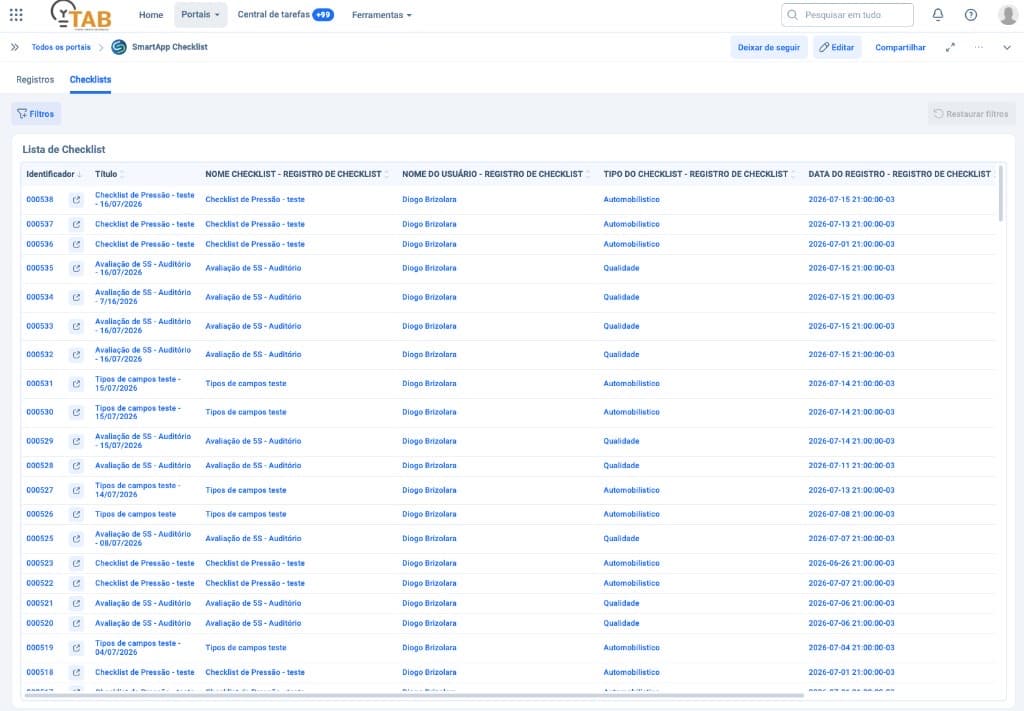
Async processing with status, retry and history for every submission.
04
Opens or updates the native SoftExpert process — no file export/import.
05
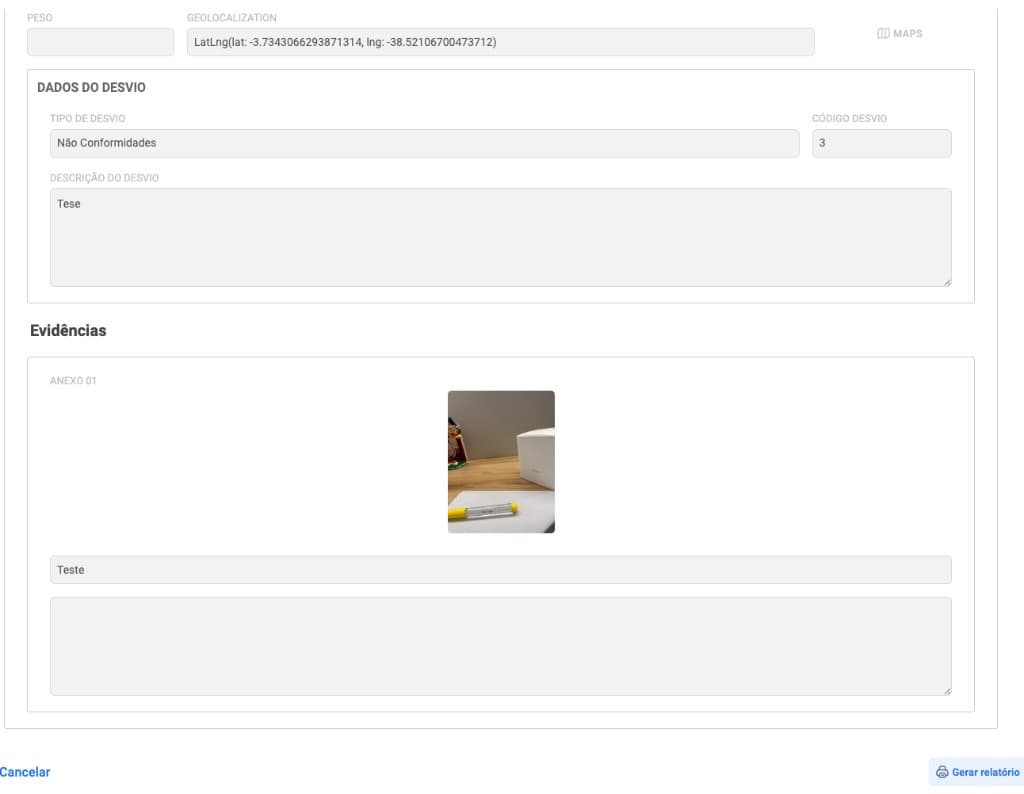
Deviations follow the existing nonconformity flow, with evidence and owner.
06
Management follow-up, synced checklist portal and report attached to the process.
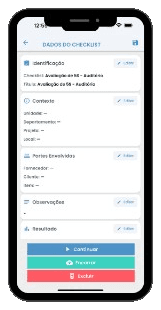
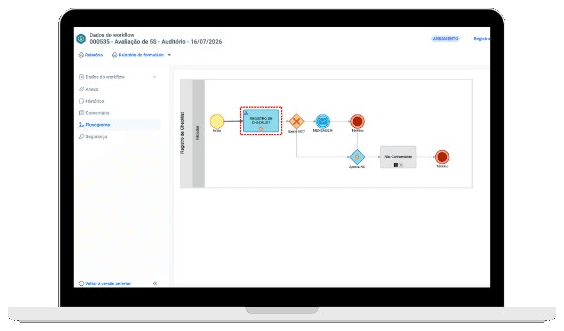
Follow-up portal, answer grids, deviation with evidence and history for every send — in SoftExpert.
You create the occurrence types yourselves, and each one carries its own workflow. Below are four examples, not a closed list: a support ticket and an audit nonconformity are not handled the same way.
Record · Root cause · Actions · Effectiveness check
Record · Handling · Approval · Effectiveness check
Record · Analysis · Actions
Record · Handling · Closure
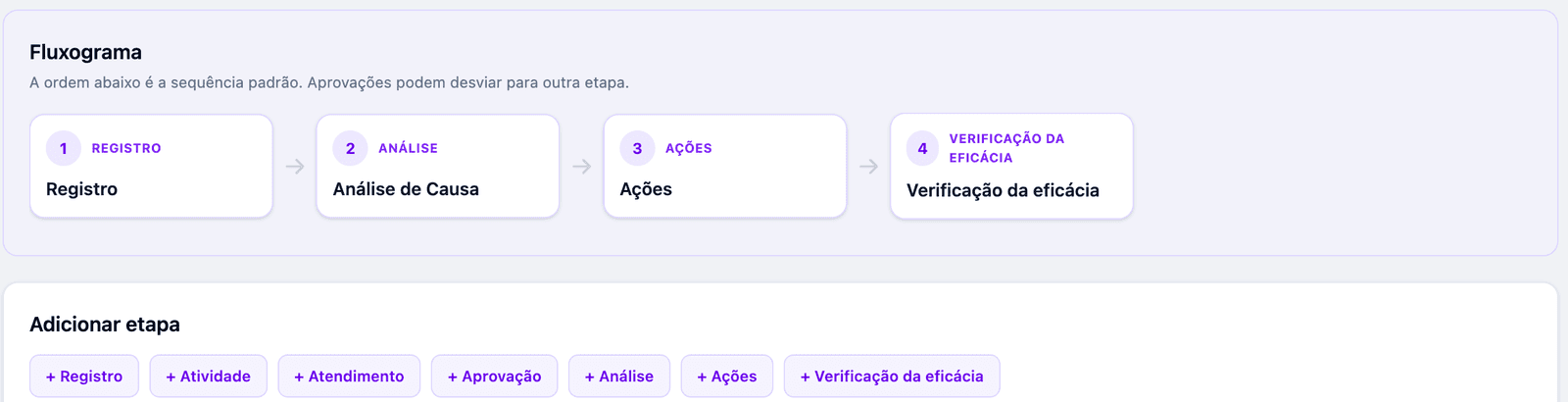
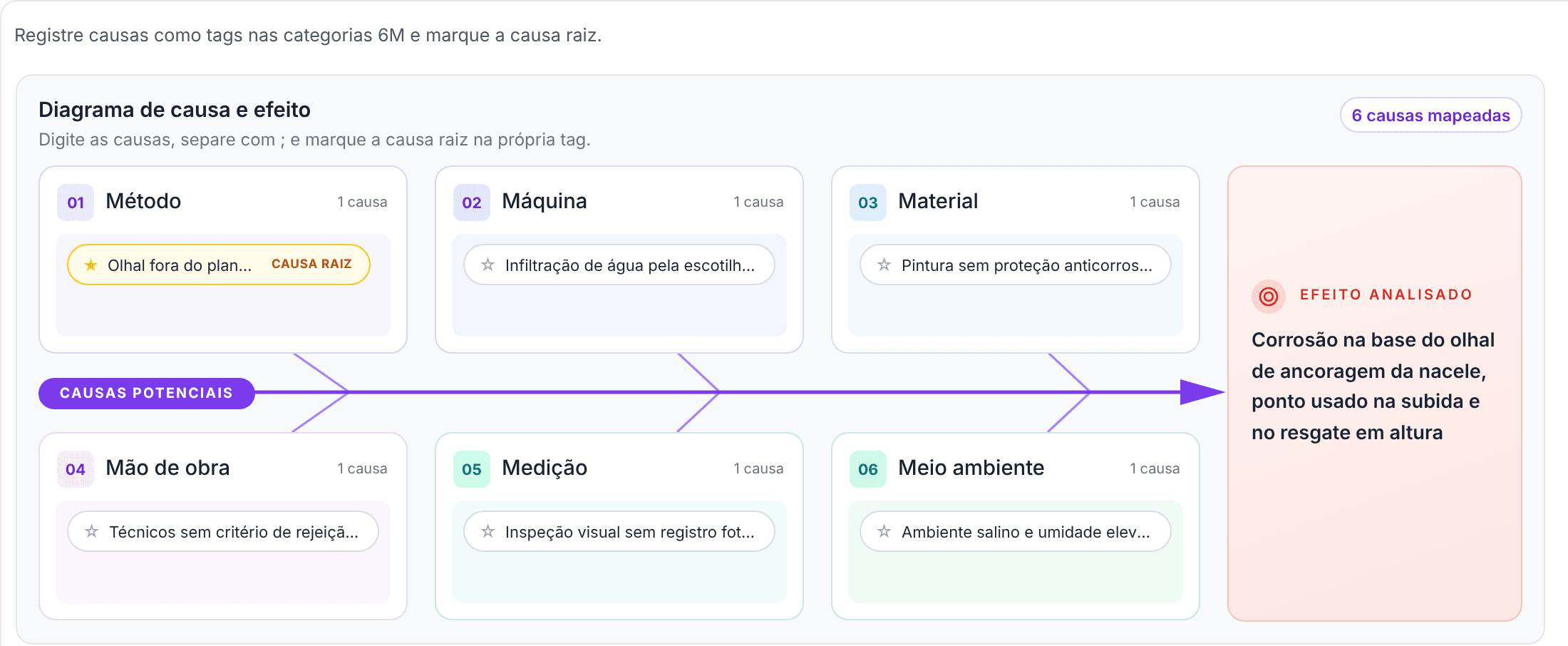
This is where a digitised inspection parts ways with a good-looking report: the finding gets a method of analysis, a plan with an owner and a deadline, and a check that confirms the result.
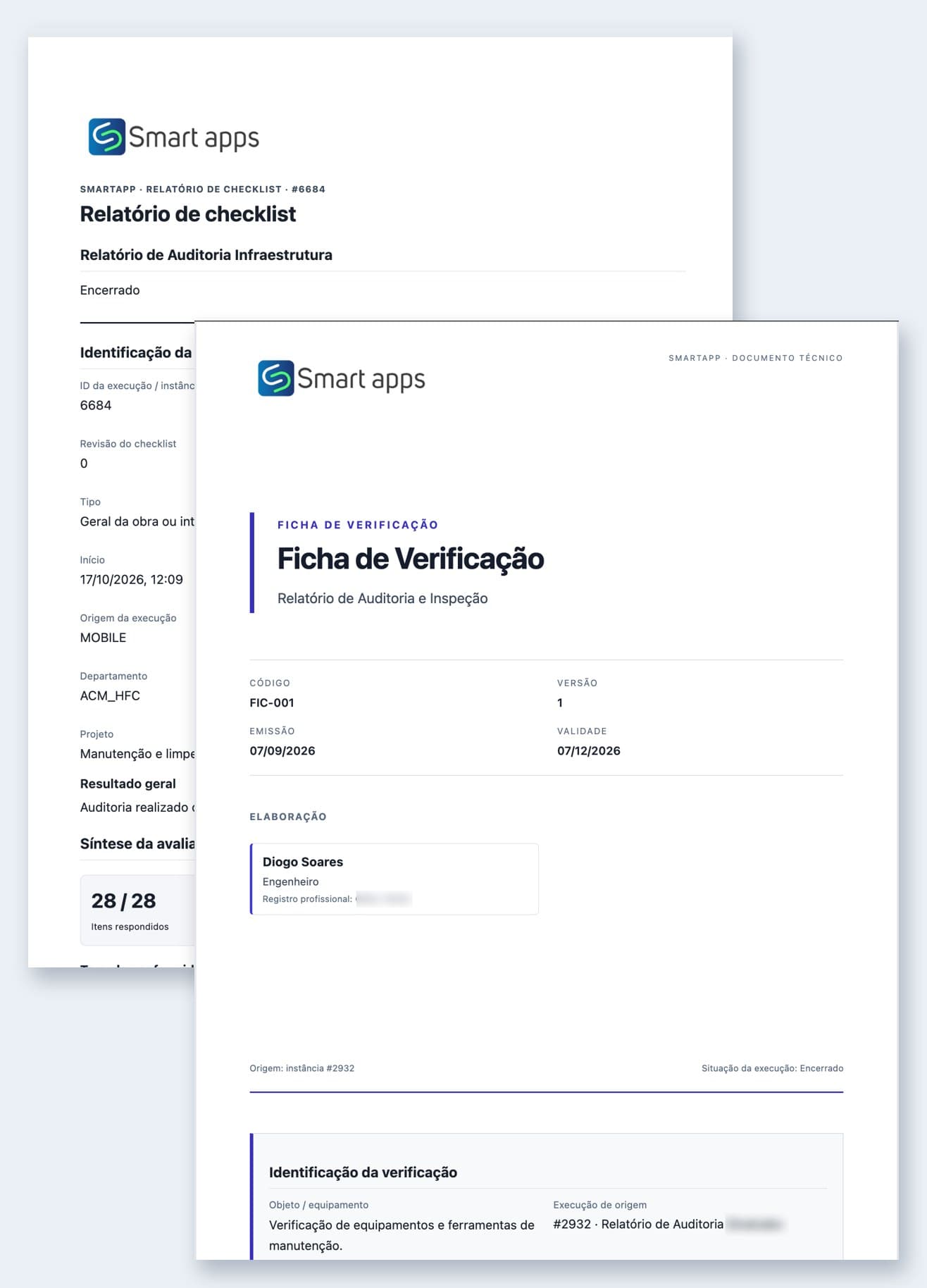
The same checklist produces the document each reader needs: a report for management, a certificate for the end client and the asset technical sheet for the auditor. Nobody puts anything together in a rush the day before.
Each document type has its own template: fields, order, logo and visual identity. You pick the template; nobody assembles the document by hand.
Each photo has its own number, linked to the item that required it, with who answered, date, time and coordinates.
Nonconformities listed at the end, with category and description, ready for the end client and the auditor.
Every report carries the instance number and the revision on each page. No doubt about which version the client received.
Dedicated features for every need.
01
Your own checklists
Sections, items, weights and rules from your standard
Conditional answers
The right question at the right moment
Validation rules
Limits, mandatory fields and blocking
Calculated items
Formulas solved by the system
02
Web and mobile execution
Offline by default, on iOS and Android
Complete evidence
Photo, audio, video, signature and GPS
03
Weights and scoring
The score reflects real criticality
Score evaluation
Rating bands applied automatically
Answer severity
A critical item fails the whole set
04
Configurable handling workflows
A workflow of its own for each occurrence type
Root-cause analysis tools
Ishikawa 6M, with the root cause flagged
Action plan and effectiveness
5W2H and effectiveness check with evidence
05
SoftExpert integration
Native, with governance and history
Customisable reports and inspection certificates
With issues, images and your company branding
Spreadsheet import
Initial load with no typing
Users and crews
Scope and permissions by profile
Traceability and audit
A complete trail of who did what
Contact
SmartApp for Energy
Tell us about the operation. We will follow up with the best evaluation path.