
Slot de foto · ICP
foto.jpg
Inspeção pré-uso de equipamento móvel / lavra.
01
Mobile and mining equipment
Pre-use and shift inspections for trucks, excavators, drills, and support machines.
Mining
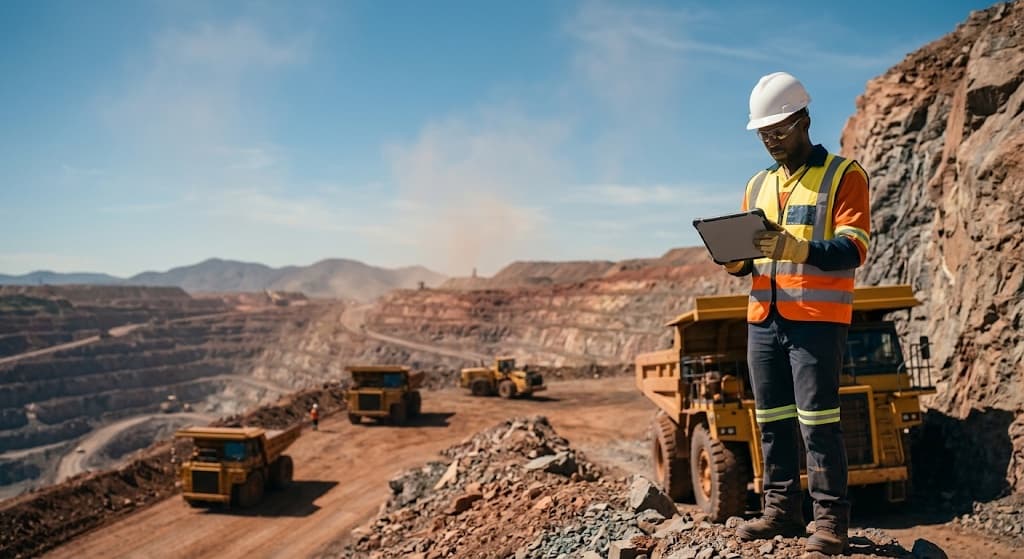
Checklists and inspections that work offline at the pit face. Photo marked on the defect, occurrence with owner and deadline, and evidence ready for audit.
The problem at the mine
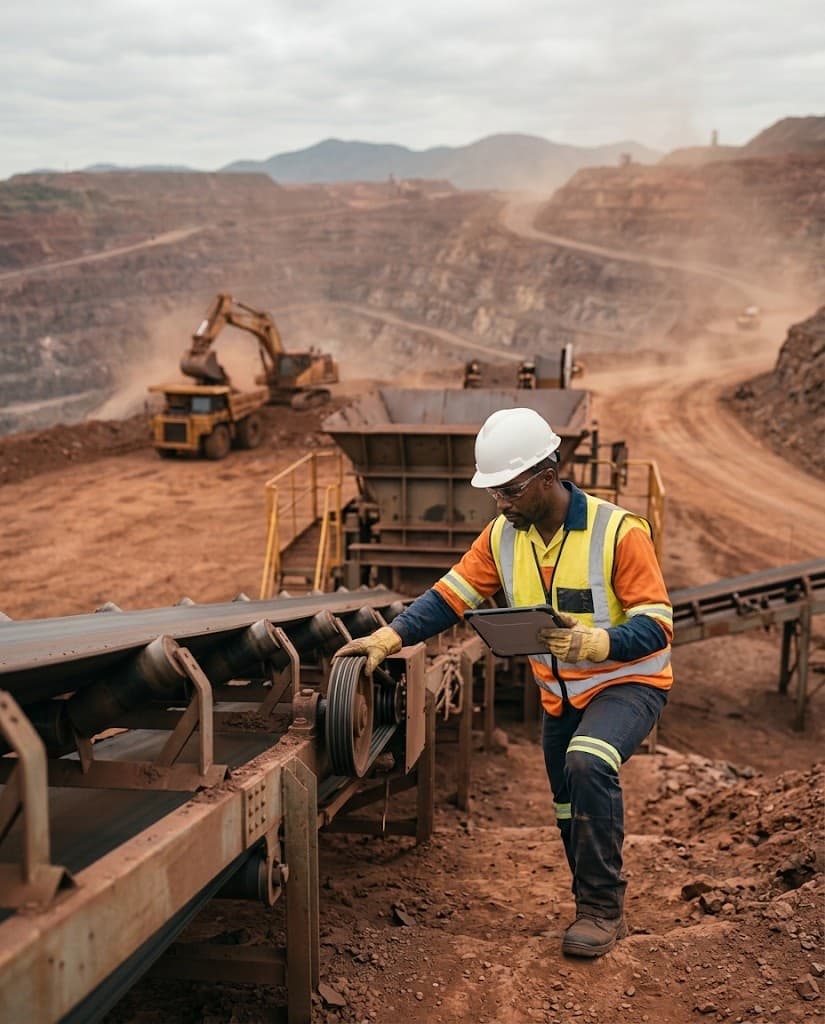
At the pit face there is no Wi‑Fi — and paper checklists (or apps that need a network) stall the operation. It must run offline and sync later.
Equipment and contractors won’t wait.
Trucks, conveyors, crushing, and contractor fleets need constant release and verification — with proof of what was seen.
HSE “from memory” won’t survive an audit.
PPE, energy lockout, and permits without a record vanish at inspection time — or when an incident is investigated.
A photo without markup doesn’t count.
Generic evidence doesn’t locate the defect. Without image markup and severity, no one knows what’s urgent.
Applicability
Field-routine examples aligned to NR-22, NR-12, NR-13, and ISO — ready to become checklists with evidence.
Slot de foto · ICP
foto.jpg
Inspeção pré-uso de equipamento móvel / lavra.
Pre-use and shift inspections for trucks, excavators, drills, and support machines.
Slot de foto · ICP
foto.jpg
Frente de lavra, desmonte ou liberação de área.
Face checklists, isolation, signage, mine access, and area release.
Slot de foto · ICP
foto.jpg
Correia, britagem ou estrutura de contenção.
Checks on conveyors, crushers, and structures with marked photos on the defect.
Slot de foto · ICP
foto.jpg
SSMA: EPI, isolamento de energia ou permissores.
Safety routines with severity, owner, and SLA — from field capture to actionable occurrences.
Checklist examples
A library of 10 structured mining checklists — with sections, critical items, mandatory photos, and automatic occurrences when an item fails. Here are four examples.
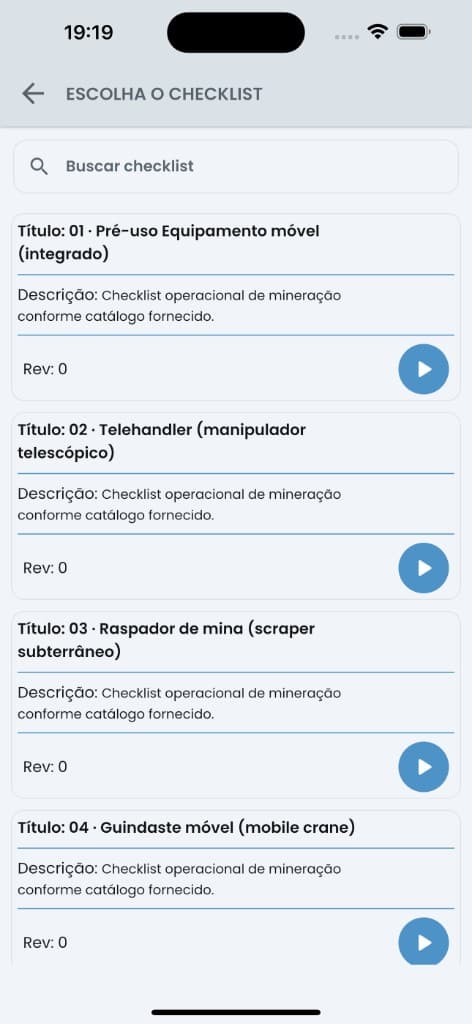
Per-shift release of haul trucks, loaders, and pit machines before they enter the mine.
31
questions
11
critical
11
with photo
Sample items
Guards, energy isolation (LOTO), and crusher release for start-up or maintenance.
39
questions
18
critical
12
with photo
Sample items
Walk-around, cab, and lifting operation at the mine — wire rope, hook, limiters, and outriggers.
42
questions
20
critical
18
with photo
Sample items
Maintenance triggered by the hour meter: engine, hydraulics, undercarriage, and lubrication.
37
questions
8
critical
7
with photo
Sample items
Also in the library
In practice
A mine checklist start to finish on the phone — exactly what the operator sees on screen.
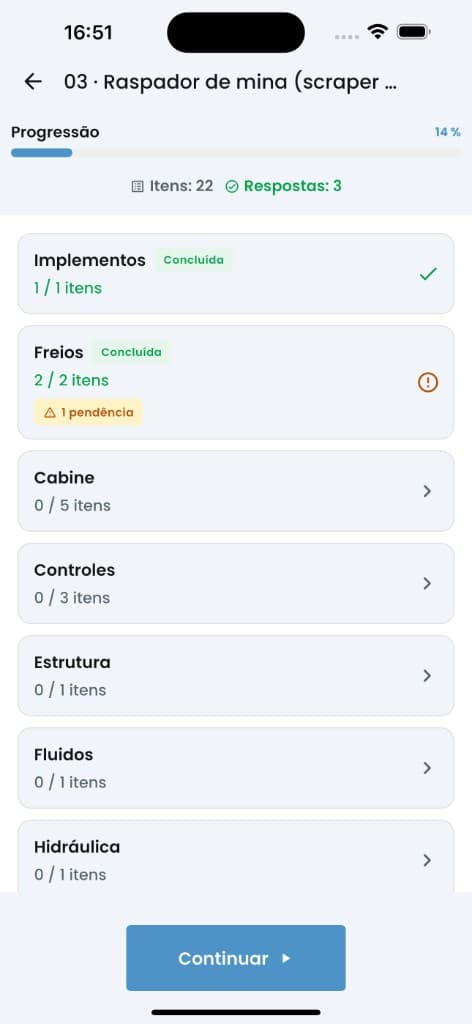
The checklist split into sections, with progress and pending items in each. The operator always knows where they are and what is left.
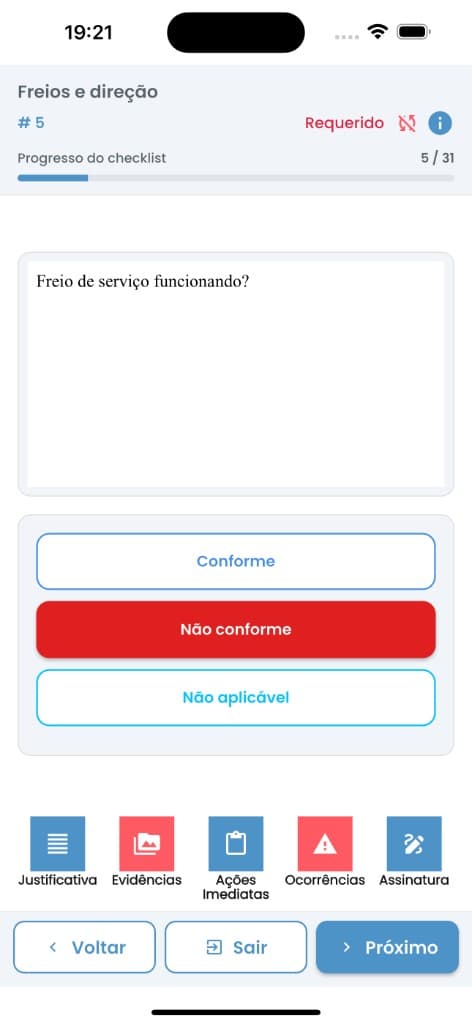
Required items always in view. A non-conforming critical item instantly opens evidence, immediate action, and an occurrence.
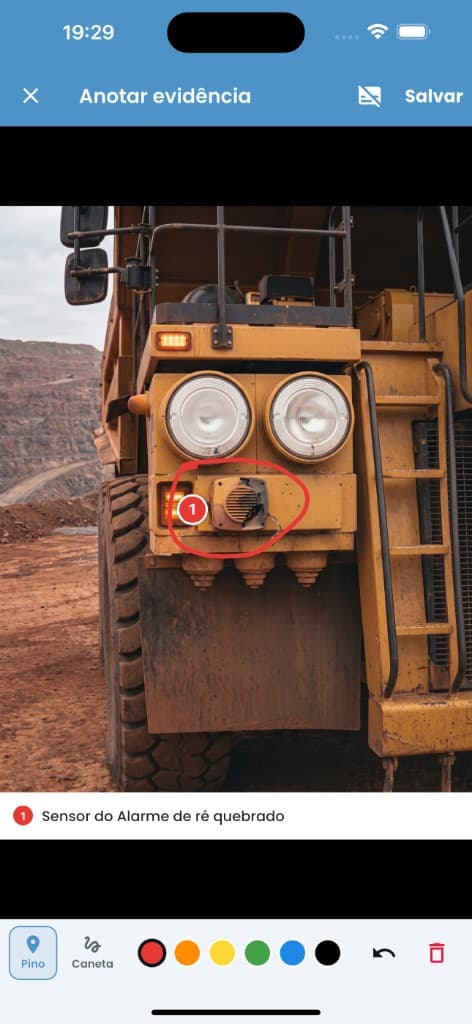
Numbered pin, pen, and caption right on the evidence: “Reverse alarm sensor broken.” No one has to guess where the problem is.
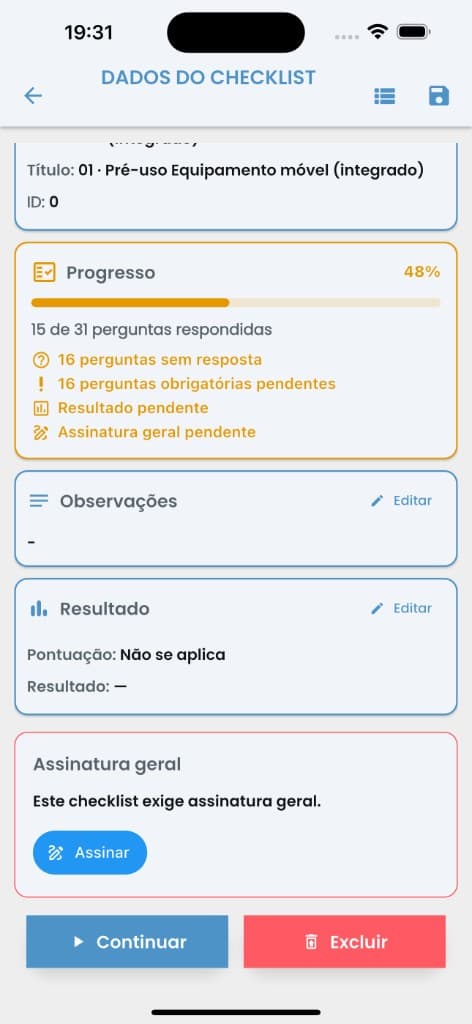
Before closing, the app lists what is pending: required questions, result, and final signature. Incomplete checklists don’t close.
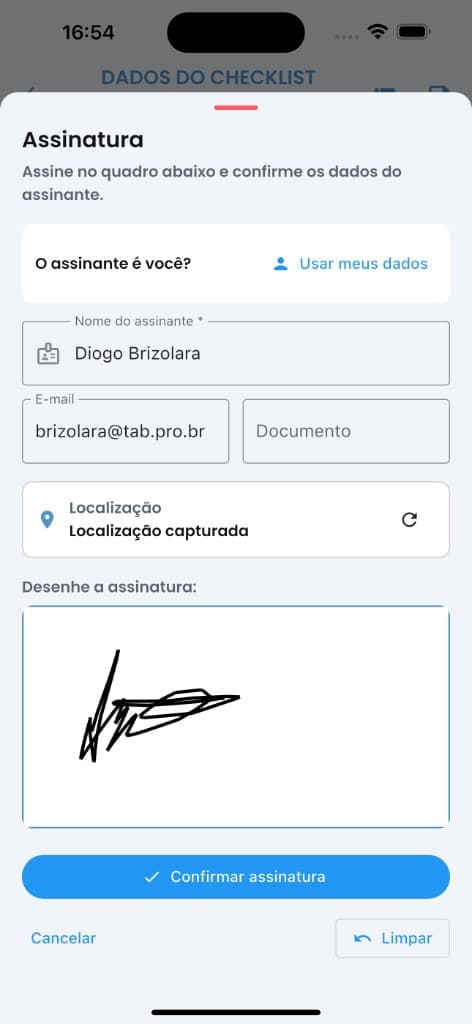
Signature drawn on screen, with name, email, and captured location. All of it is recorded in the report.
Management and reports
Every checklist run on the phone reaches the web with indicators, pending items, and an audit report with the photos behind each answer.
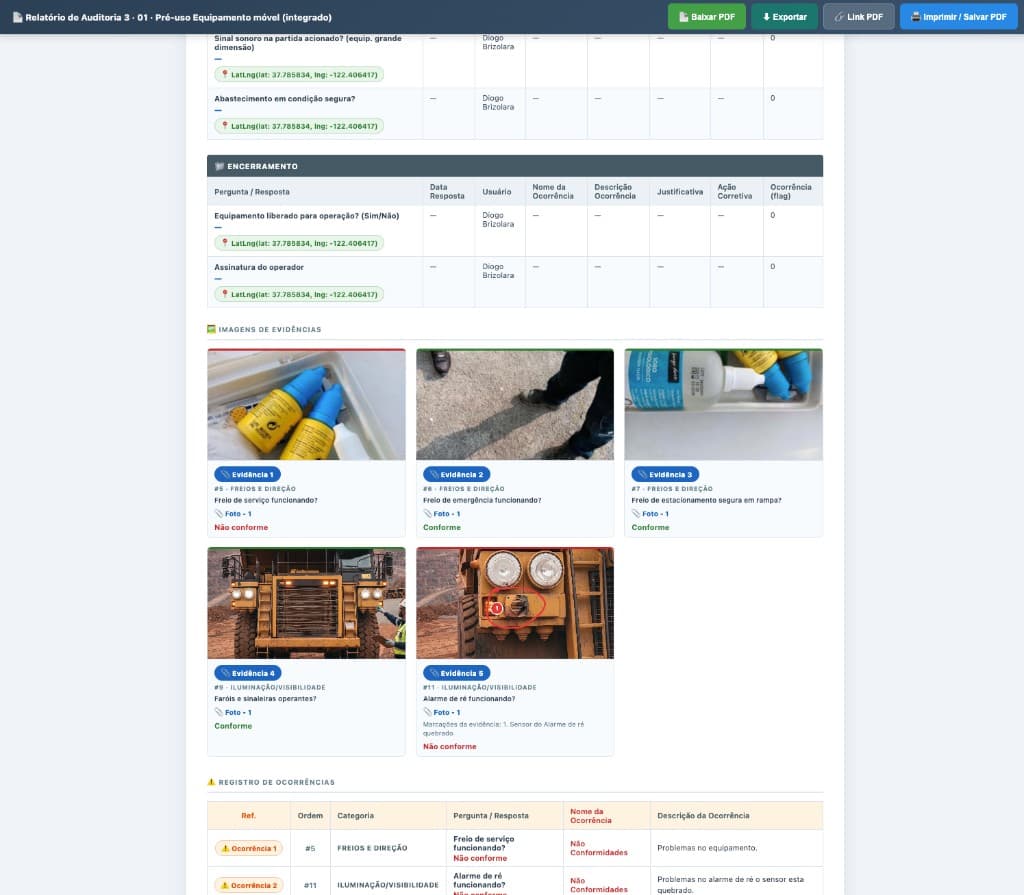
Each photo sits next to the question that produced it, with the section, the answer, and the markup made in the field. Right below, the occurrence log.
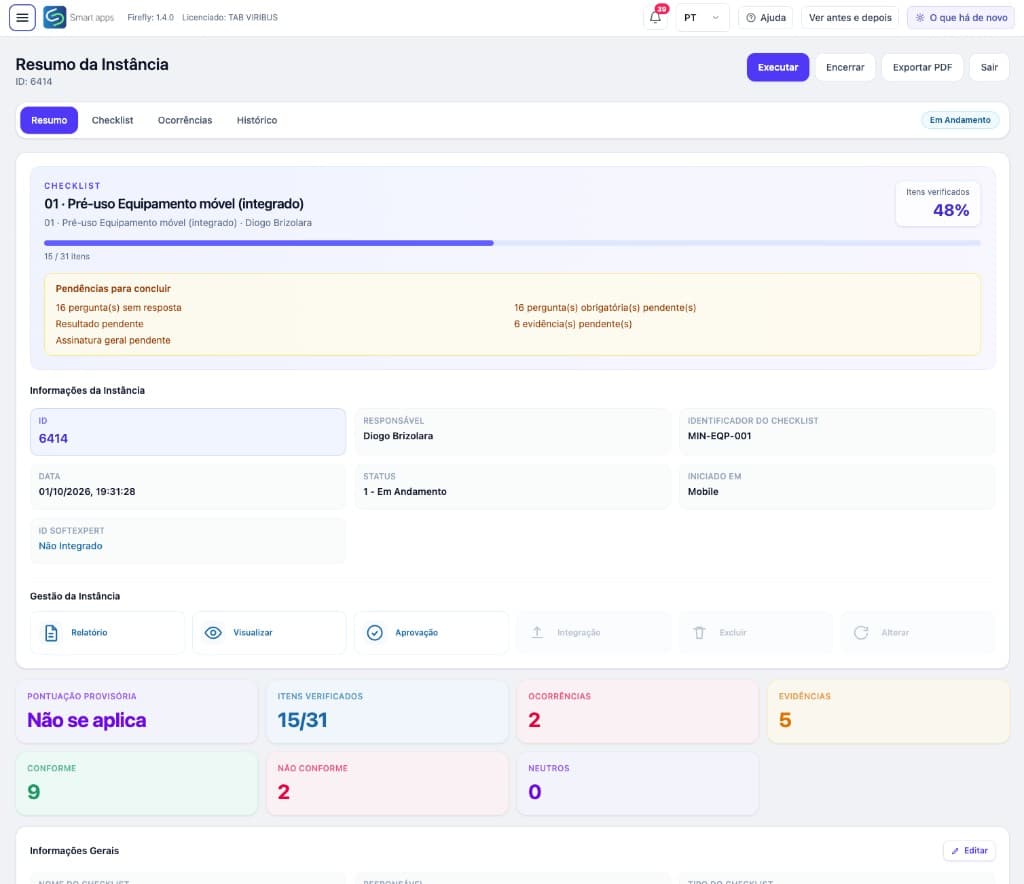
Progress, pending items, and checklist indicators on one screen: items checked, conforming, non-conforming, occurrences, and evidence.
Why SmartApp
Full execution without network. Answers, photos, audio, and occurrences sync automatically.
Numbered pins, captions, and pen on the evidence — auditors see the exact inspected point.
Occurrences with type, priority, and severity, timeline, and owner — action with deadline, not just a log.
Native integration: checklists and nonconformities enter corporate governance without rework.
Standards and references
Contact
Share the mine challenge — equipment, HSE, or SoftExpert integration. We return with the best rollout path.
85 4042-3967 — CE
11 3164-4675 — SP
comercial@tab.pro.br